Have both the apostille and its document to hand. Find out which authority issued it, then check the details in that authority’s register or ask it to confirm them.
Apostille verification steps
Find the country, issuing authority, date and number on the apostille.
Go to the authority’s official website. If it offers online verification, use the register linked there.
Compare the register’s answer with the apostille in front of you. Check which document the apostille belongs to as well.
A missing record or a mismatch needs an enquiry to the issuing authority. Describe the result and ask for a check.
A missing record does not by itself prove forgery: first check your entries and the register’s coverage.
What exactly needs checking?
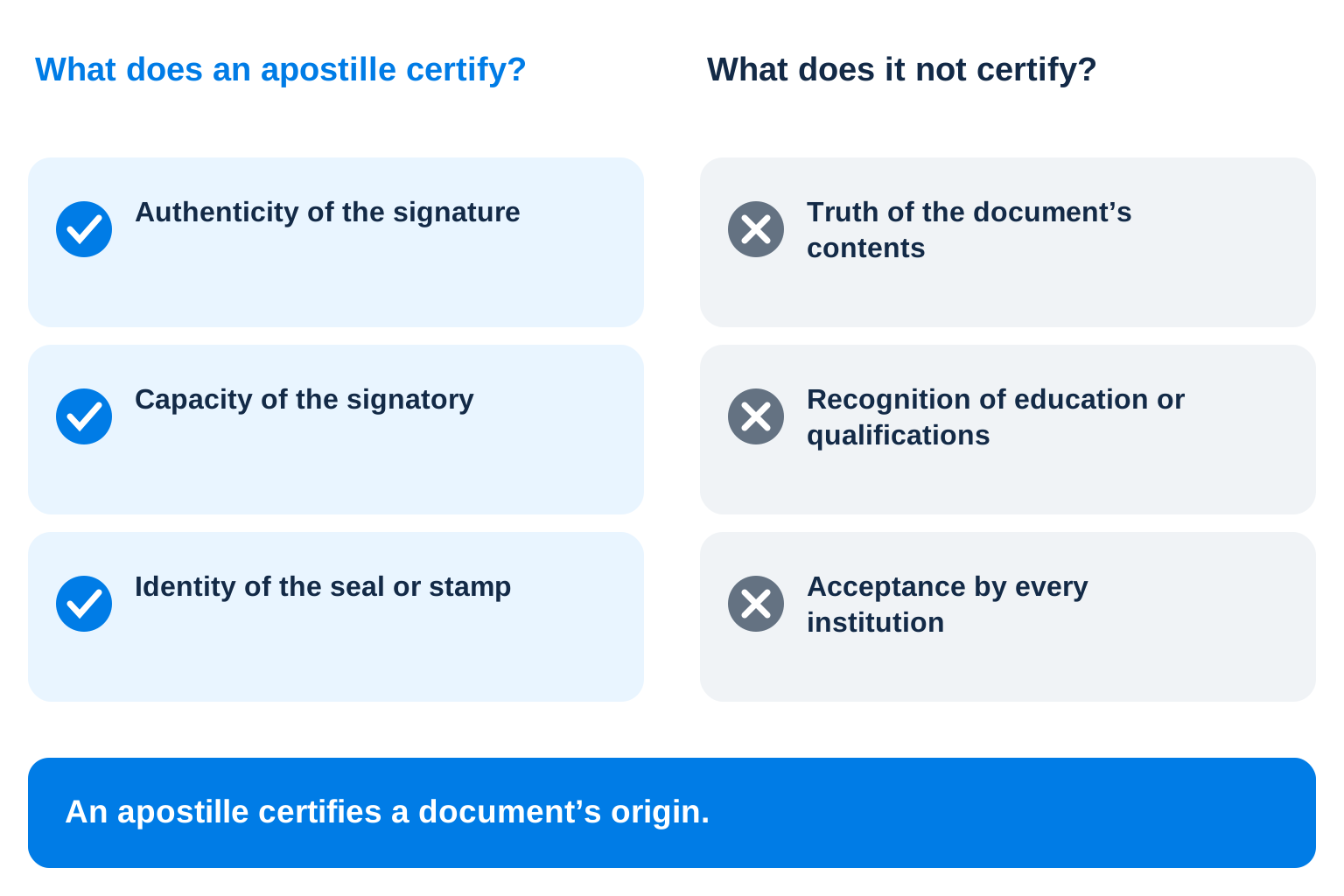
The institution to contact depends on what is in doubt. Confirming that an apostille was issued, checking the underlying document’s authenticity and having education recognised are separate procedures handled by different institutions.
A university asking for confirmation of an education level will need more than a lookup of the apostille number. A query about the date on the apostille belongs with the authority that issued it.
Authenticity also leaves the recipient’s submission requirements to be met. It may want a different language, a different form of the document or additional pages.
What exactly needs checking?
What you need to establish
Where to find the answer
Was this apostille issued?
With the competent authority named on the apostille
Which document does it relate to?
In the apostille details; also check the complete document set and how the pages are attached
Is the underlying document authentic?
With its issuing institution, following the applicable verification procedure
Is the education recognised?
In the requirements of the chosen education recognition procedure
Will the complete set be accepted?
In the particular recipient’s written requirements
How to find the issuing authority
The country and authority named on your apostille are the starting point. You can find the authority in the HCCH directory of competent authorities and go from there to its official website. Even if you arrived through a QR code or an intermediary’s link, make sure the web address is the official one.
HCCH helps you find the authority; it does not check individual apostilles. Confirmation of issue comes from the authority named on the certificate. There is no worldwide register containing every apostille.
If the authority’s name is illegible in a photograph, request a clearer image. The article on where to get an apostille explains the Polish authorities’ names.
How to check an apostille issued in Poland
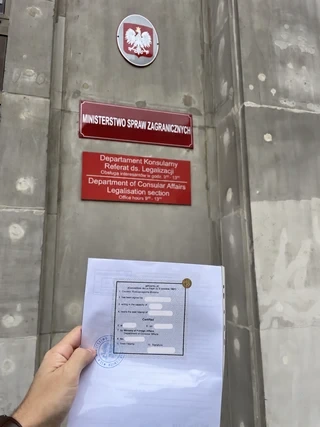
Send enquiries about MSZ-issued apostilles to the Legalisation Section: legalizacja@msz.gov.pl. Your message needs the apostille number and date, the document’s title and a precise question about what you want confirmed. The address is published in the MSZ Legalisation Section contact details.
If another Polish authority issued it, contact that authority. Its name is on the apostille itself. A sample enquiry appears in “What to write about a discrepancy”.
Document numbers and apostille numbers
The underlying document and the apostille may have different numbers, dates and signatories. A register search requires the apostille’s own number, not the certificate, diploma or other document number.
In the HCCH model apostille, the apostille number is in field 8, “No”. The issue date is in field 6. Some fields describe the person who signed the underlying document; others concern the issue of the apostille. The document signatory’s name may therefore differ from that of the official who issued the apostille.
Make a note of these details before comparing the apostille with the register or asking the authority to check it:
For the underlying document, record its title and the country it came from.
For the signature being authenticated, note the person’s name and position. Include the identifying details of the seal or stamp.
For the apostille itself, record where and when it was issued, by which authority and under what number.
Note which document carries the apostille and how the pages are joined.
Each detail needs to match its own field in the register or the authority’s reply. The look of a seal, typeface or QR code is not proof that the apostille is authentic.
If the apostille is on a separate sheet
A photograph of the apostille sheet alone may not show which document it is attached to. You therefore need the complete set for verification. Examine how the pages are attached too.
Articles 4 and 7 of the Hague Convention cover placing an apostille on the document or an attached sheet and keeping records of issued apostilles. At the request of an interested person, the issuing authority compares the apostille’s particulars with those recorded when it was issued.
If you have a scan of just one page, ask for images of the other pages showing how they are attached. Keep the apostille sheet with its document. Do not detach it to scan it or move it to another copy.
If the attachment is unclear, describe this separately to the authority. State which pages are available, what is visible where they are attached and what you could not establish. A matching apostille number does not resolve this question on its own.
Interpreting an online register’s response
A register may cover only certain authorities, apostille types or issue periods. Before searching, read its instructions to see which details to enter and which apostilles it can verify.
Use the register linked from the issuing authority’s official website. If it finds no record, check the number and date you entered and the authority you selected. Check the dates the register covers too: your apostille may fall outside them.
An unexplained result needs a reply from the issuing authority. Save the search result so you can show both the details you entered and the answer the register gave you when you contact it.
Interpreting an online register’s response
Result
What to do next
The details match
Save the result. Check which document the apostille is attached to and whether you have every page.
No record found
Check your entries and the dates and authorities the register covers. If these do not explain the missing record, ask the issuing authority to check.
The details differ
Compare the register with the apostille’s own fields; the underlying document can have different details. Tell the authority exactly which values do not match.
The register is unavailable
Find the authority’s contact details on its official website and ask for another verification method.
You only have a scan
Request missing pages and establish the original’s form of issue and how it was prepared.
Electronic apostilles, registers and PDFs
A PDF may be an ordinary scan of a paper document. The file format alone does not show that it is an electronic apostille.
An e-Apostille is issued electronically. An e-Register lets you check apostille details. A register may contain a record of a paper apostille; this does not make the paper document an electronic original. A scan alone may also be insufficient to establish the original form of issue.
Available systems are listed in the HCCH e-APP implementation table. Then check current information on the chosen authority’s website. An electronic register does not mean that the same authority issues e-Apostilles.
If you receive an electronic original, retain the original file and accompanying information. A screenshot or printout does not preserve all the properties of an electronic signature. Ask the issuing authority how to verify it.
What to write about a discrepancy
Give the apostille number and date, document title, verification method and exact discrepancy. Ask the authority to compare these details with its issue record. Keep the reply for subsequent submission.
Sample enquiry:
Dear Sir or Madam,
I would like to check apostille no. [number], dated [date], issued by [authority] for [document title]. Could you compare its details with your issue record?
On [date], I checked it through [official service or other channel]. The result was: [exact discrepancy or no-record message].
Can you confirm whether an apostille with these details was issued and which document it belongs to?
Thank you.
Use the authority’s official website to find its contact details, and write in a language it accepts. Send documents and personal data through an official channel, sharing only what the authority needs to answer you. Find out why the details differ before paying for a new apostille.
What remains after the details are confirmed?
A match with the issue record confirms the particular apostille details you compared. Before submission, check the recipient’s requirements: whether translation is needed, which form of the document is accepted and whether every required page is included.
The NAWA FAQ explains the limits of authentication. An apostille does not confirm every detail of a qualification or replace an education recognition decision or the outcome of another procedure.
If the apostille was added after translation was complete, the new endorsements may need translating. This is discussed in the article on the order of apostille and translation.
What to keep after verification
Keep your findings together with any questions that remain unanswered. You can refer to this record in your next enquiry to an authority or agency:
The country and authority that issued the apostille.
The apostille date and number, separately from the underlying document’s details.
The document title and the form of the document available to you.
The official verification method and which apostilles it covers.
Details that matched, differed or were not found in the register.
Any remaining question about the link between the apostille and the document.
The next step, whom to contact and the recipient’s reply about requirements.
The word “checked” alone does not show whether someone compared the number, inspected the complete set or received an authority’s reply. Recording exactly what was checked helps avoid a mistake: partial confirmation does not mean the set is fully ready for submission.
Translation and document preparation
Keep the verification result and the authority’s reply if you requested one. Then check the recipient’s requirements: which form of the document is needed, whether translation is required and into which language.
Assemble every page of the document and apostille. If a translation is already complete, check whether it includes endorsements added later. Before submission, make sure all required attachments are present.
You can order a sworn translation of a document with an apostille from Translate Service. Send the complete set and the recipient’s requirements so we can agree further preparation. The authority that issued the apostille confirms its issue details.
About the author
Karolina Bałabon
Sworn translator of Russian
Working in translation since 2000, she has been a sworn translator of Russian since 2006. She graduated in applied linguistics from the University of Warsaw.
She specialises in legal, court and notarial translation. She works with Russian, Ukrainian, Polish and English, and deals with apostilles, legalisation and the preparation of foreign documents for use in Poland.